DCS World (Digital Combat Simulator) is the gold standard in study-level combat flight simulation, putting you in the cockpit of meticulously modelled fighters, attack jets and helicopters with switch-for-switch accuracy. Whether you are running a cold-and-dark startup of the F-16C, flying carrier ops over the Persian Gulf or coordinating a multiplayer strike package, DCS rewards realism over arcade thrills. It is one of the most hardware-hungry titles you can run, and it absolutely shines on a properly specced rig with VR or a triple-screen pit.
DCS World · Custom Gaming PCsBest Gaming PCs
Best Gaming PCs
for DCS World
DCS World leans hard on the CPU's single-thread speed and cache, so a Ryzen X3D chip matters more than raw GPU power for smooth frame times.
Hand-built in Stevenage UK
Every PC tested for 24h before dispatch
5 Year Warranty
Parts and labour, no quibbles
Free UK Delivery
Tracked, fully insured
Target Entry1080p
1080p
High, 144+ fps
Target framerate
Recommended GPU
RTX 5070
Target Sweet Spot1440p
1440p
High to Ultra, 100+ fps
Target framerate
Recommended GPU
RTX 5070 Ti / RX 9070 XT
Target Ultra4K
4K / VR / triple-screen
Ultra, smooth 72-90+ fps
Target framerate
Recommended GPU
RTX 5080 / RTX 5090
At a glance
DCS World Performance
DCS World leans hard on the CPU's single-thread speed and cache, so a Ryzen X3D chip matters more than raw GPU power for smooth frame times. For VR and triple-screen setups you also want plenty of VRAM (16GB or more) and 64GB of system RAM to stop stutter during heavy multiplayer missions.
Builds for DCS World
View all gaming PCs Recommended Custom PCs
Each system is hand-built in our UK workshop, tested for 24 hours, and ships with a 5 year warranty. Pick a starting point and customise everything in the configurator.
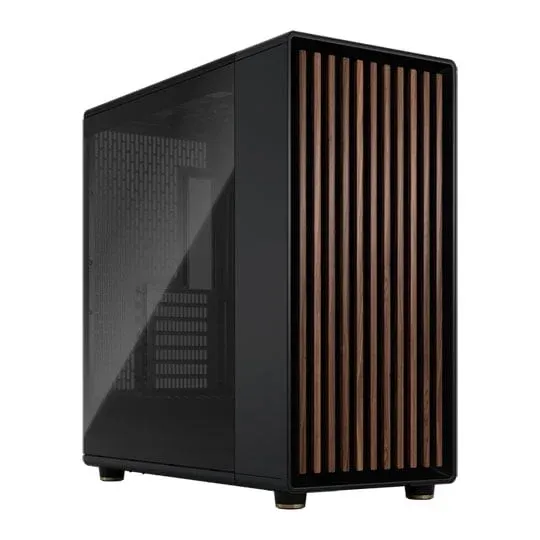
highamd
CREATE Flight Simulator PC AMD Ryzen 7 9800X3D 8 Core AM5 CPU/Processor & INNO3D NVIDIA GeForce RTX 5080 X3 16GB Blackwell Graphics Card
AMD Ryzen 7 9800X3D 8 Core AM5 CPU/Processor
INNO3D NVIDIA GeForce RTX 5080 X3 16GB Blackwell Graphics Card
Optimised for Flight Sims
Free UK Delivery
From
Customise£4,279
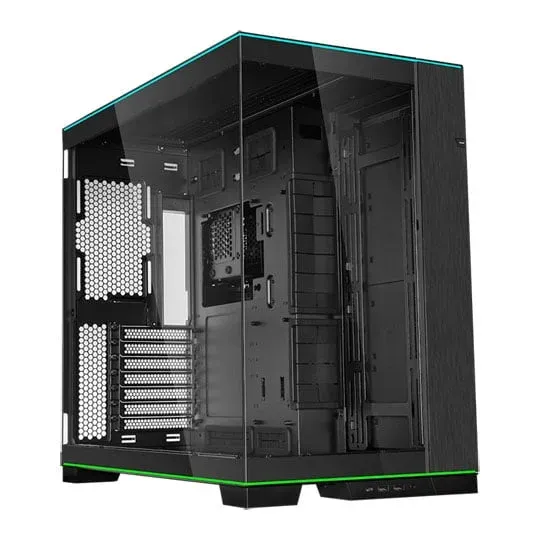
ultraamd
CREATE AIRBUS AMD Ryzen 9 9950X3D 16 Core AM5 CPU/Processor Retail & ASUS ROG ASTRAL NVIDIA GeForce RTX 5090 32GB GAMING OC Blackwell Graphics Card
AMD Ryzen 9 9950X3D 16 Core AM5 CPU/Processor Retail
ASUS ROG ASTRAL NVIDIA GeForce RTX 5090 32GB GAMING OC Blackwell Graphics Card
MSFS 2024 + X-Plane 12 + DCS tuned
Gen5 NVMe for scenery streaming
From
Customise£13,504
Everything you need to know
Hardware breakdown, build recommendations, and tuning advice for DCS World.
DCS World System Requirements
Minimum
OS: 64-bit Windows 10 Processor: Intel Core i3 at 2.8 GHz or AMD FX Graphics: Discrete NVIDIA or AMD card with 6GB VRAM Memory: 16 GB Storage: 250 GB free space
Recommended
OS: 64-bit Windows 10 or 11 Processor: Intel Core i5 or better at 3+ GHz, or AMD Ryzen Graphics: Discrete NVIDIA or AMD card with 8GB+ VRAM Memory: 32 GB (64 GB for heavy missions) Storage: 500 GB on SSD
Common questions
What GPU do I need for DCS World at 1440p?
For a smooth 1440p experience with high settings, an RTX 5070 Ti or RX 9070 XT is the sweet spot, giving you the headroom to push view distance and shadows without dropping frames. If you are flying in VR at this resolution, step up to an RTX 5080 for the extra VRAM and bandwidth. Every CREATE PC is hand-built in Stevenage and stress-tested before it ships, so you know it will hold up over long missions.
Is DCS World more CPU or GPU intensive?
DCS is unusual in that it is often CPU-bound rather than GPU-bound, especially in busy multiplayer servers and dense missions. It leans heavily on single-thread speed and CPU cache, which is exactly why AMD's X3D chips like the Ryzen 7 9800X3D dominate flight sim performance. We pair an X3D CPU with a strong GPU so your frame times stay smooth where it counts.
How much RAM does DCS World need?
The recommended spec is 32GB, but for heavy scripted missions and busy multiplayer we strongly suggest 64GB of DDR5. DCS loads enormous amounts of terrain and asset data, and 64GB stops the background paging and stutter that plagues 32GB systems on the biggest maps. We fit fast, properly configured memory as standard.
Can a CREATE PC handle DCS World in VR or on triple monitors?
Absolutely, and these are the workloads where a balanced build really earns its keep. VR headsets and triple-screen pits push huge pixel counts, so we recommend a GPU with 16GB or more of VRAM (an RTX 5080 or RTX 5090) plus 64GB of RAM and an X3D CPU. We build each rig to order, tune it for your exact setup and back it with a 5-year warranty.
Ready to build?
Configure your perfect DCS World PC
Pick your CPU, GPU, case and cooling. Real-time pricing, guaranteed compatibility, free UK delivery.
Open the Configurator